When I'm grading student mixes, I can tell within thirty seconds which ones just find music and which ones genuinely love it. You can hear the difference immediately. The diggers' sets feel alive. Their track selection has texture: highs and lows, tension and release, and when they finally do drop something commercial, it hits ten times harder than it would in anyone else's set. Why? Because they've spent the last twenty minutes taking you on a journey through sounds you've never heard before. You've earned that moment with them. It's a completely different experience to just playing banger after banger after banger.
Here's the uncomfortable truth. It's way too easy to open Beatport, pull straight from the Top 100, and call it a set. The problem isn't that this is bad music. It's that it's exactly what every other DJ on the planet is doing too. If your whole selection process is "open chart, download top ten," you're not curating anything. You're just redistributing the same twenty tracks everyone else already has.
In this guide, I'm going to show you how to dig deeper, so you're playing tracks people actually love, and better yet, tracks they haven't heard yet anywhere else.
But before we get into platforms, I want to set the mindset straight, because this is the part most people get wrong. Digging isn't about finding some secret, magical site that nobody else knows about. That site doesn't exist. Digging is about going deeper into the exact same platforms everyone already has access to. The tools are identical. The only difference is how far you're willing to go with them.
With that out of the way, let's get into it.
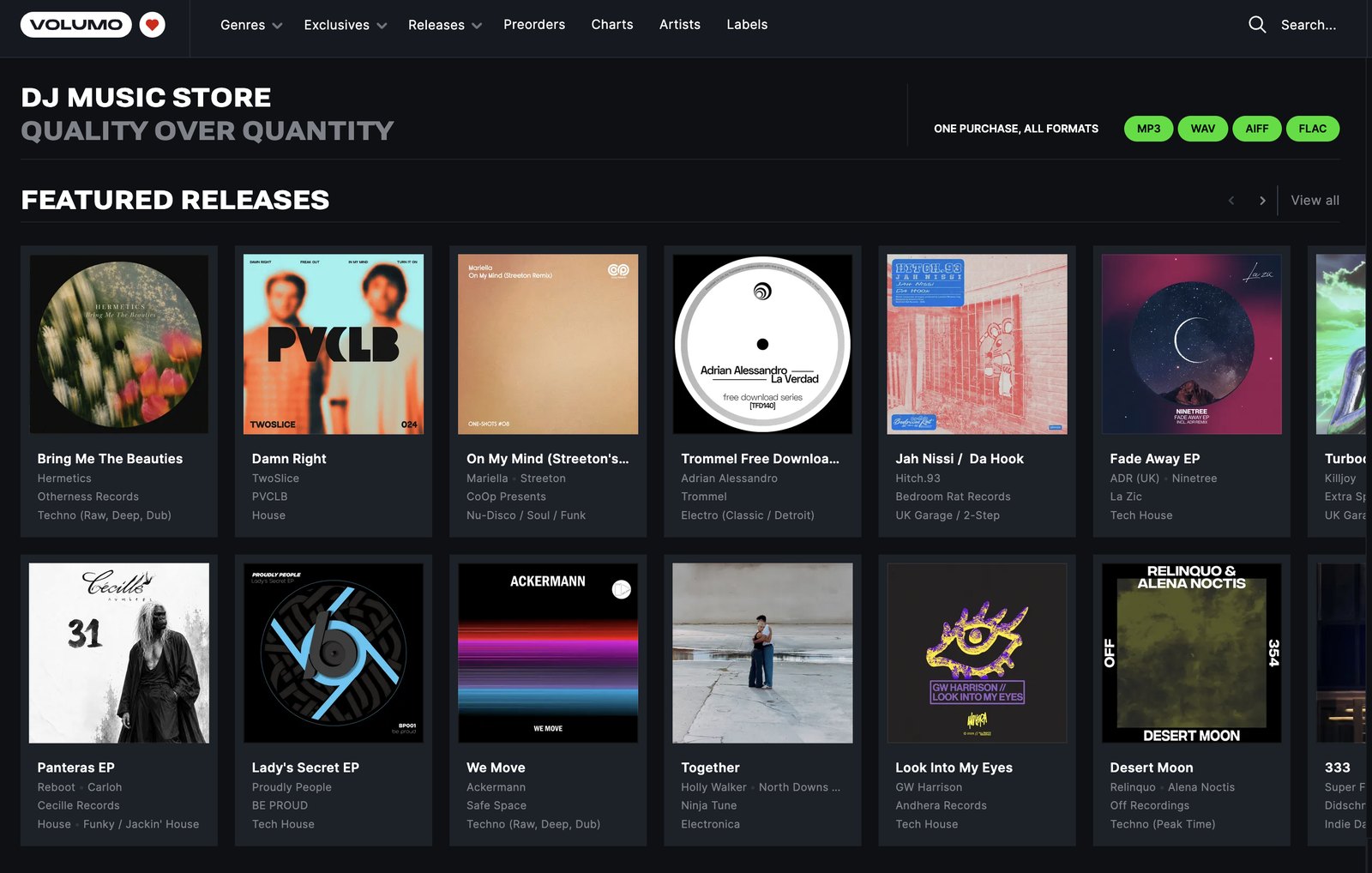
1. Volumo: The Easiest Shortcut to Underground Music
I want to start here because, honestly, this is the easiest shortcut available to any DJ right now. Instead of digging through a store that's 90% commercial house and pop remixes hoping to strike gold, why not just use a store that's built around underground electronic music from the ground up?
If you're into any form of electronic music, Volumo is genuinely excellent. It filters out a huge amount of commercial noise, which means you're not swimming upstream against a mainstream catalog. You're already in the right pool from the moment you log in. I've personally been using Volumo for years now, and it's a constant go-to for me, especially when I want to play tracks nobody in the room has heard before.
Let me walk you through how I actually use it.
Once you're logged in, you'll land on featured releases, DJ charts handpicked by the Volumo team, what's currently on rotation, and featured artists. All of that is genuinely useful for casual browsing, but the real value lives in the tabs across the top of the site.
Genres. Pick any genre you're into. Let's say Melodic House & Techno. At the top, you'll see hero sections like Monthly Must Listens and In Heavy Rotation, and further down you've got DJ charts, featured releases, artists, labels, and related genres. There are a lot of entry points here. Jump into "In Heavy Rotation" and you're looking at tracks that are actually working on dance floors right now. Even though it's labeled "heavy rotation," compared to Beatport's Top 100 you'll still likely recognize almost none of it.
Click into a track, give it a listen, and if it's good, you've got options. You can add it to a playlist, or straight to your cart. Worth knowing: when you check out, you're buying per track, and 75% of the revenue goes directly to the artist. That's a meaningful cut, and it means every purchase actually supports the people making the music you're playing out.
One more detail worth mentioning at checkout: you're not locked into a single file type. You can grab your purchase as MP3, WAV, AIFF, or FLAC, and you can re-download it as many times as you like at no extra cost. That's a triple win, giving you quality, flexibility, and zero risk of losing your files.
Once you've found a track you love, that's when the real digging starts. Search the artist directly, or click into the track itself to see where it's charted, or scroll down to Related Tracks, Related Artists, and Related Labels. Each of these tabs alone can take you as deep as you're willing to go.
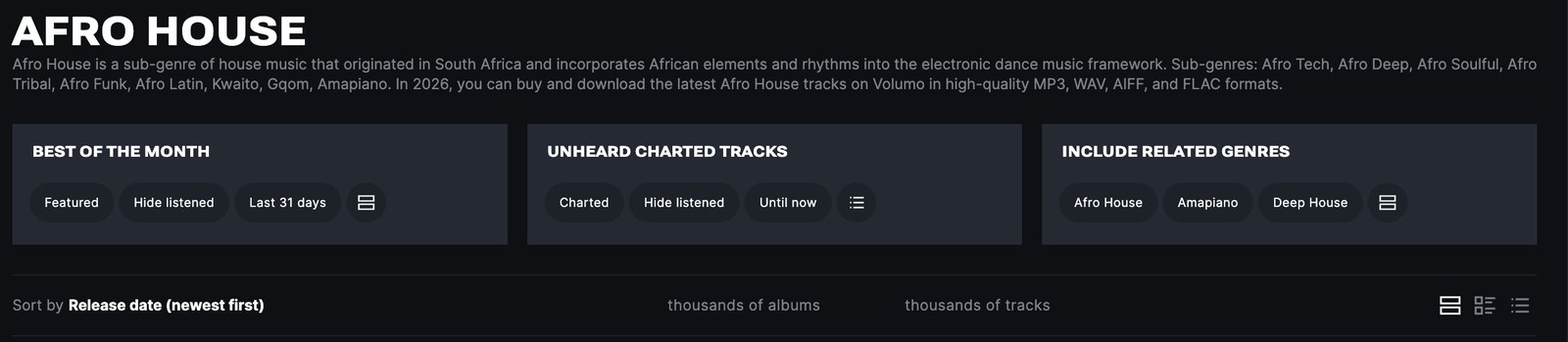
The next tab across is Exclusives, tracks you'll only find on Volumo. Further along is Releases, and this is a tab I genuinely love. If you want to play a track literally nobody has ever played before, filter by tracks released today. Try Afro House, for example. You'll find over a dozen tracks released that same day, in that genre alone. If you want to be the DJ who plays something brand new before anyone else, this is exactly how you do it.
There are solid filters here too, so you can sort by time range, and when you combine time range with a specific genre, you can uncover some genuine gems that almost nobody else has found yet.
Moving further across, you've got Preorders, where you can preview tracks before they're even released, and then Charts, one of my favorite sections on the whole platform, full of beautifully curated selections for pretty much every occasion. You'll find DJ charts, Volumo Focus charts, and Volumo On Rotation.
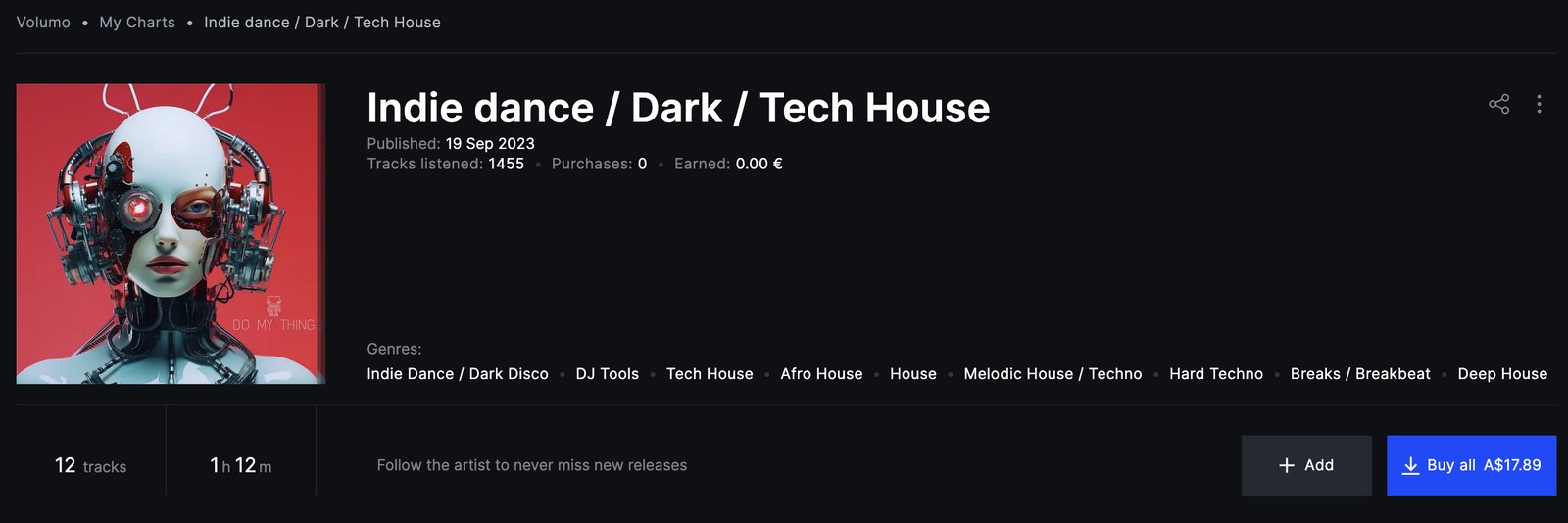
And here's a feature I really love: you can build your own chart. Set up a profile, put together a playlist of at least five tracks, submit it, and it becomes a real, shareable chart on the platform, one you can send to your friends. It's a genuinely cool way to put your own stamp on the community.
All in all, you can find underground music on literally every page of Volumo, and these tracks are frequently as good, if not better, than anything you'll find on the more mainstream platforms. I also love the community feel Volumo brings to the table. The site is clearly well thought out, it's user-friendly, and you can tell the people behind it genuinely care about music. I'm a huge fan, and it's hard to go past if you want to develop a sound that's uniquely yours.
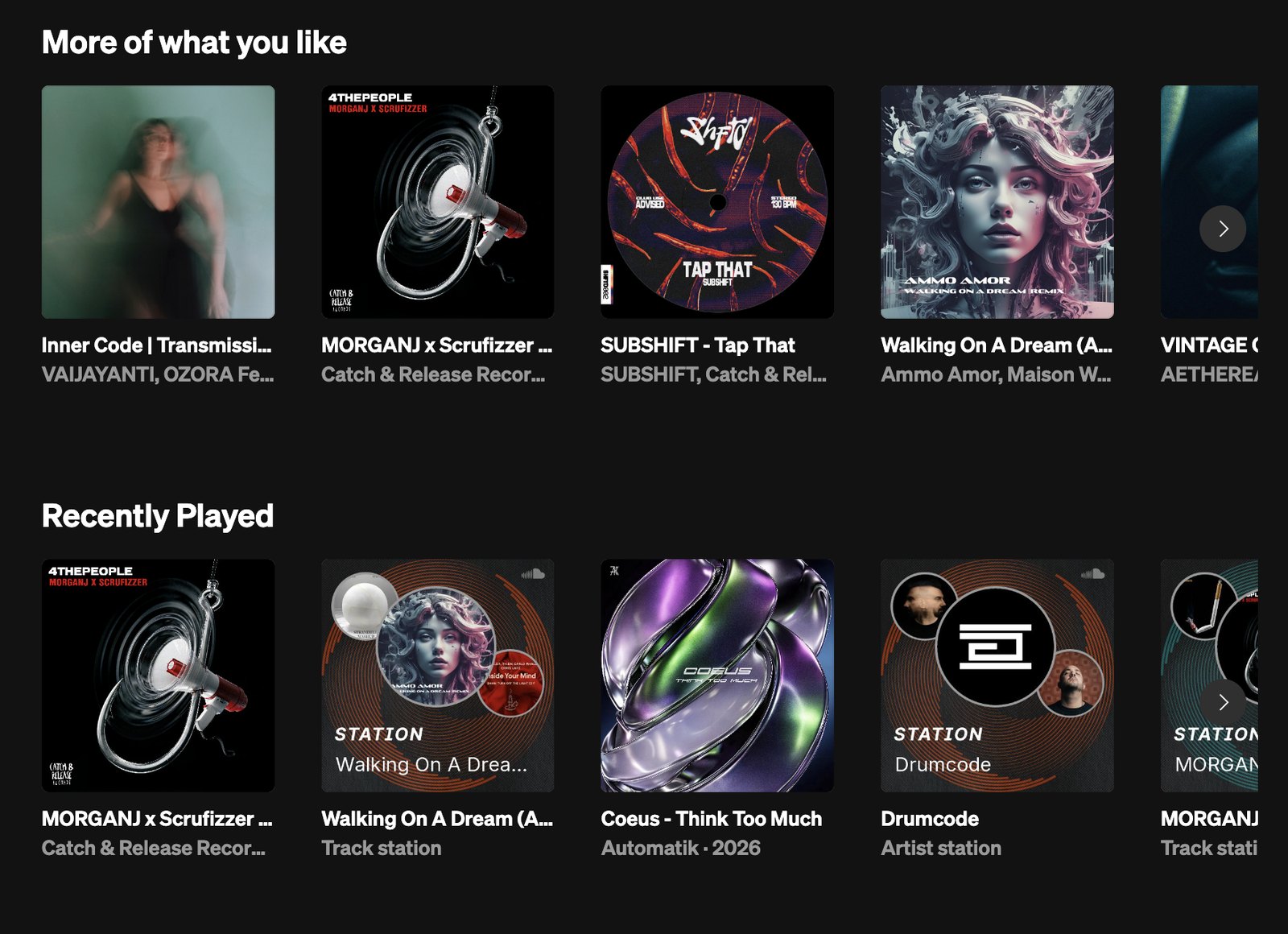
2. SoundCloud: Digging From an Artist Outward
One of the things I love about Volumo is that you can go in completely cold, with no idea and no starting point, because everything on the platform is already curated and already underground. You can just pick a chart or a genre and start pulling the thread from nothing.
SoundCloud works a bit differently. It performs best once you already have some kind of starting point: a genre, an artist, a track, or even a label. So let's say you've found an artist you like. Here's exactly how I dig from there.
Type the artist's name into search, and the first thing you do is follow them. That means every new upload lands straight in your feed the moment it drops. No searching required, you just see it live.
From there, you can scroll through their full catalog, or hit Station right on their profile. That builds a fifty-track playlist based on their releases, plus similar artists pulled in around them. This alone is a fantastic way to find adjacent tracks that will never show up in a Beatport Top 100.
If you scroll to the right column on an artist's page, you'll find their Likes, and this is the rabbit hole most people skip entirely. Likes are essentially a window into what that artist is personally into, even what's influencing their own sound. Sure, sometimes you'll catch an artist liking their own tracks, which, fair enough, but past that, it gives you a genuine read on their taste. Go a layer deeper and check "Fans of this artist also like," or go one step further and see who they're following. That's when the rabbit hole really opens up.
Now let's talk about digging from an actual track.
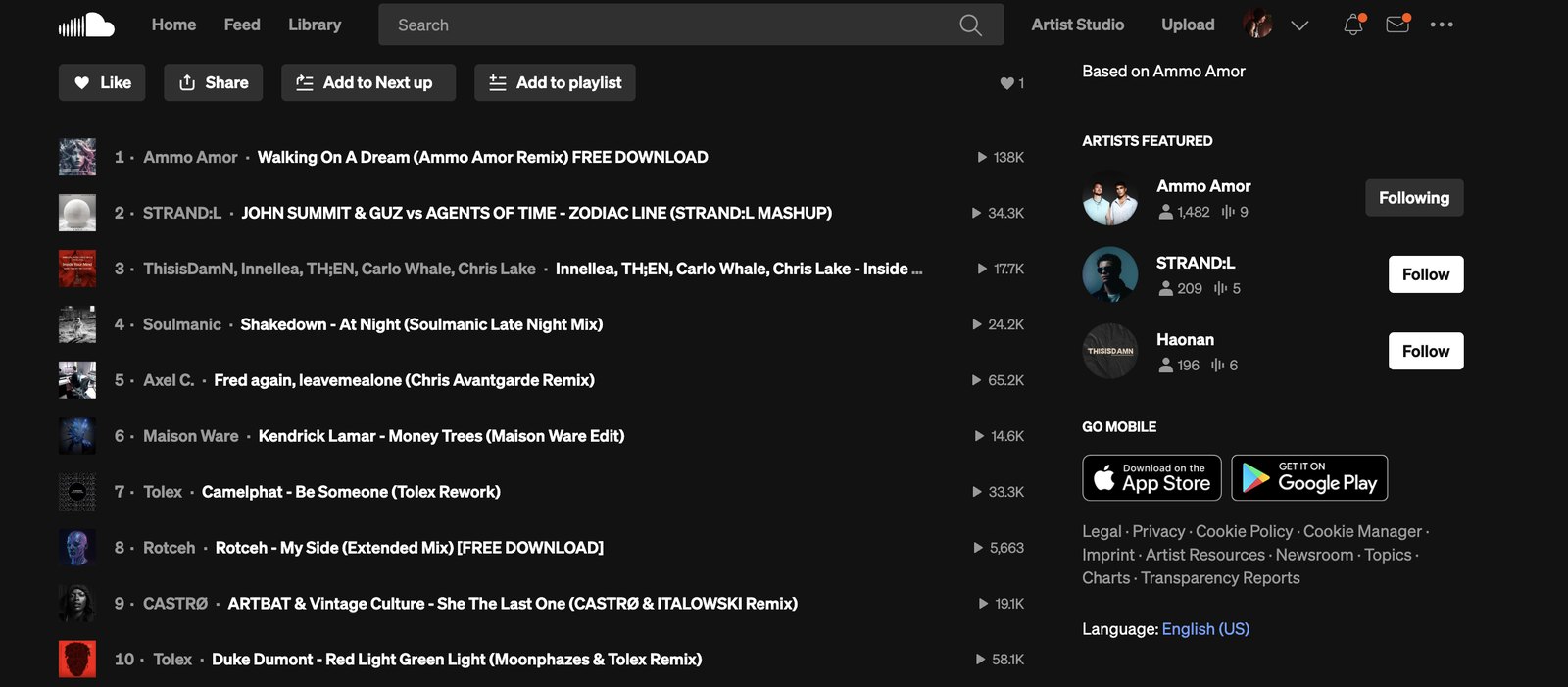
Say you find one you like. Click into it, and this is where it gets good. You've now got two ways to find similar music. First, Related Tracks sits right there on the page, and you can work through it one after another. Second, there's Station, which does essentially the same job but feels a bit more automatic and easier to use. Just hit the three dots next to the track name and select Station. In my experience it'll queue up fifty tracks, but if you let it keep playing, it just keeps feeding you new material, giving you a genuinely endless supply of similar sounds.
As you're working through tracks you like, don't wait until you're ready to download. Add them to a playlist as you go. Hit "Add to Playlist," drop it in, and keep digging. That way nothing gets lost mid rabbit-hole, and you build a running collection to come back to later.
When you're ready to actually download something, search the track individually and see if the file is available. If you're not sure, hit the three dots on the track. Sometimes it's a straight Free Download, sometimes it's a Buy link that redirects you to Beatport or Bandcamp instead.
One more thing on free downloads: sometimes an artist will ask for your email, a follow on Instagram, a follow on SoundCloud, or a comment before the download unlocks. Don't overthink it, it's not sketchy, it's just a fair trade. You get a free track, they get a new fan. It's honestly the least you can do for someone making music you actually want to play out to a room full of people.
That's the real difference between searching SoundCloud and digging on SoundCloud. Most people find one good track, save it, and move on. That's step one of about eight. You can search related tracks, start a station, and click into every track you like to dig further. You can see who your favorite artists follow, what label they're signed to, and even who's inspiring them. When you dig properly on SoundCloud, you're not just finding a track, you're finding a whole network of artists devoted to the same sound you are. That's how you go from finding a track to finding a scene.
3. Beatport: Where You Start, Not Where You Finish
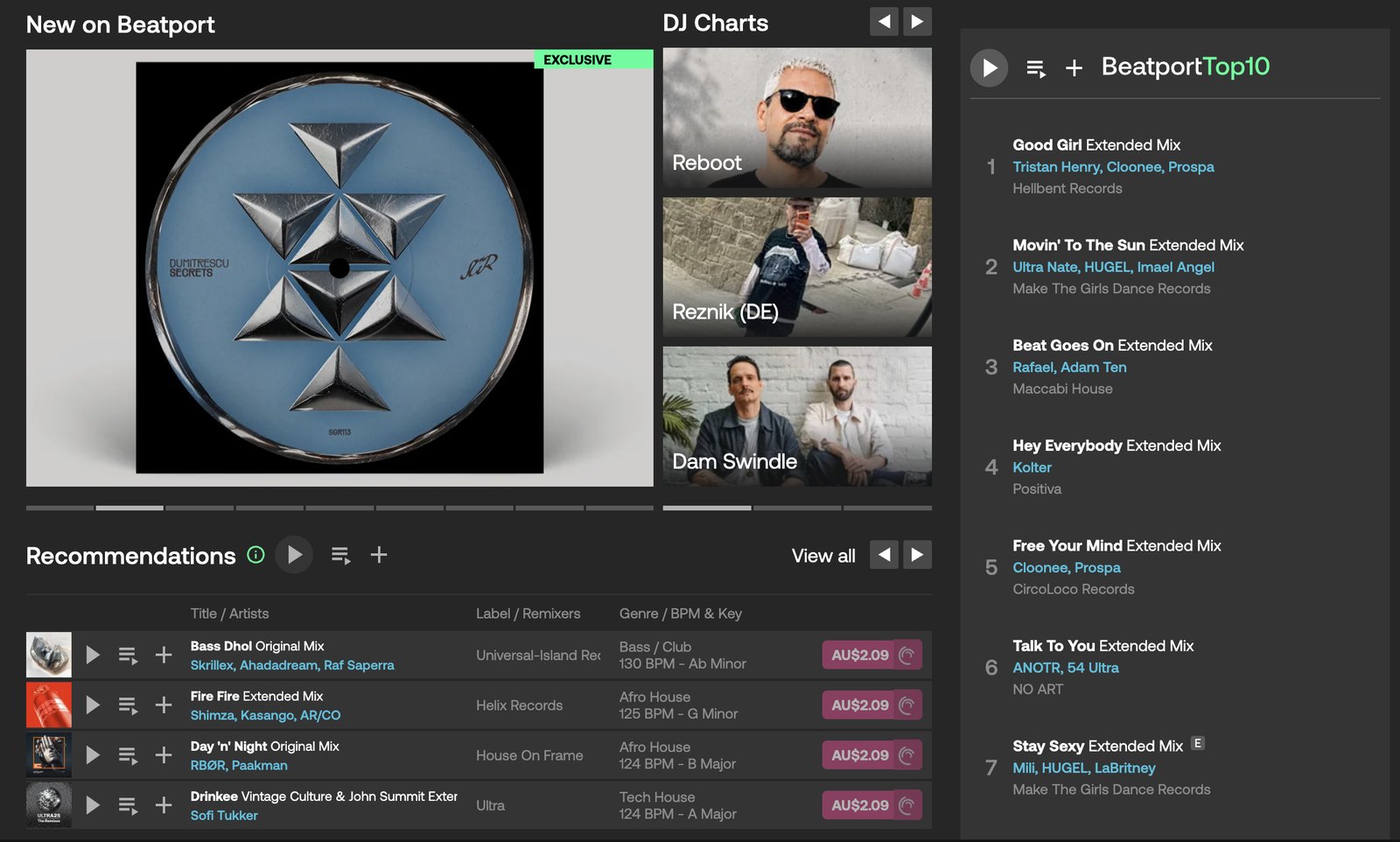
Now, Beatport. If you're completely new to digging, Beatport is honestly a great place to start. I'm not going to tell you to avoid the Top 100 entirely. I'm going to tell you it's where you start, not where you finish.
So go there. Scroll the Top 100. Find a track you actually like. Once you've got that track, here's where things open up.
Click into the artist and see everything else they've released, not just the one track that happened to chart. Check the label it's on, and treat that as a rabbit hole all on its own, because a label rarely puts out just one great track. They release a whole catalog built around a consistent sound. Or go sideways into the genre page itself and start finding other artists from there.
From any of those entry points, whether it's artist, label, or genre, keep following it down. Follow the artists directly so you see what they're working on next. See who they're collaborating with. Click into a track and scroll to Related Releases, and that opens up yet another thread to pull.
That's the whole point: Beatport's Top 100 isn't the problem. Stopping there is the problem. Treat it as page one of the story, not the whole book, and keep digging from there.
4. Labels: The Single Biggest Shift in How You Dig
This one might be the biggest mindset shift in this entire guide. Most people search for artists. The people with the best crates search for labels.
Think about it. If a label has put out ten tracks you love, that's not a coincidence. Someone at that label is filtering through hundreds of demos and only pushing the ones that actually fit their sound. They're doing the curation for you. So if you find a sound you love, check out the label behind it. It could open up a goldmine of undiscovered tracks.
So how do you actually find these labels? The easiest way is to reverse-engineer it from tracks you already love. Every track you dig up on Volumo or Beatport has a label attached to it. Stop scrolling past that credit, click into it, and see what comes up.
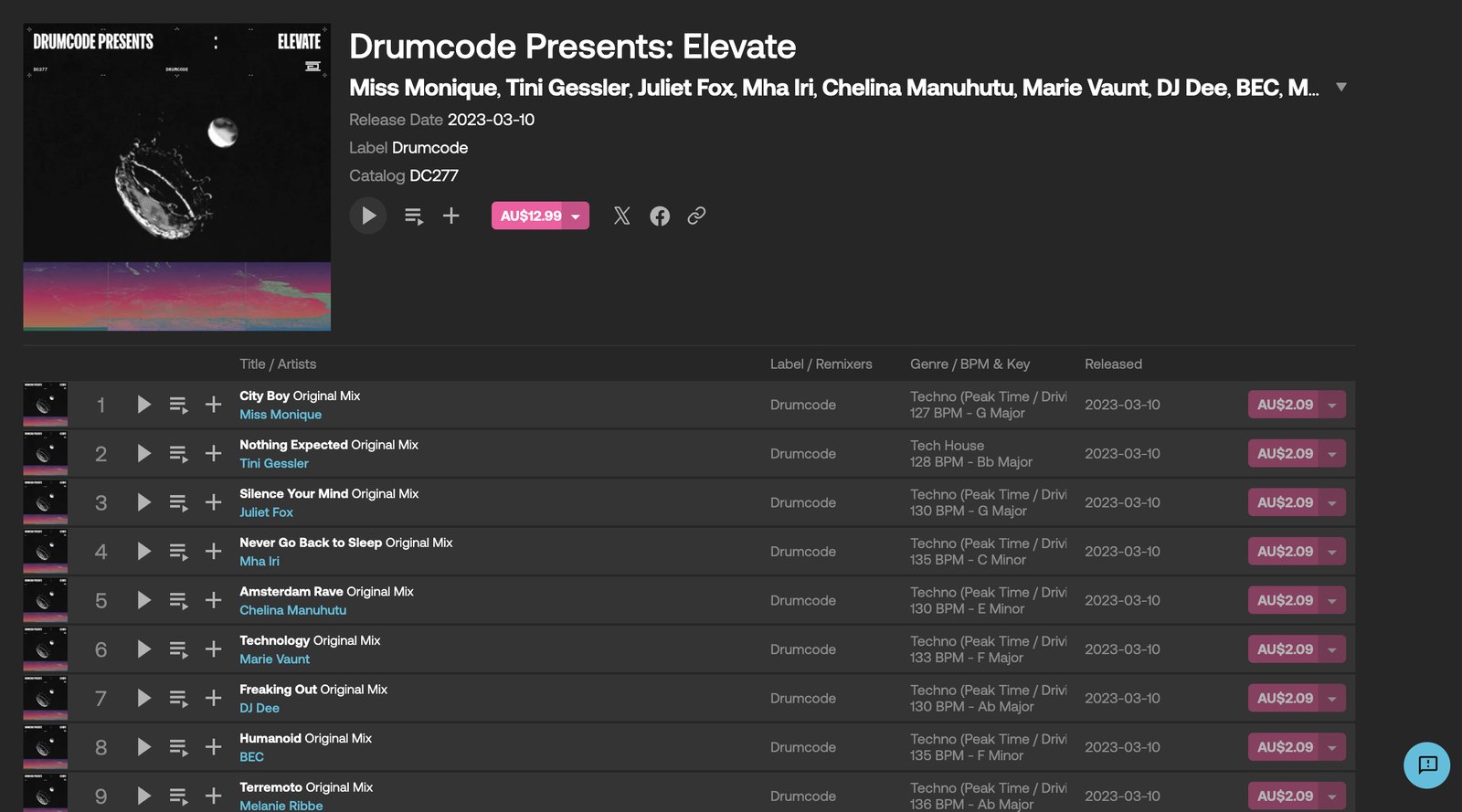
Here's an example. Say you love techno. A huge label in that world is Drumcode. Now that you've got the label name, you've got options. On Beatport, you can click straight into it and check their Featured Releases, or go to Releases and see everything laid out by release date.
Personally, when I'm digging through a label, I actually prefer doing it on SoundCloud. I just like the layout better. Type the label name straight into the SoundCloud search bar and it'll pull up all their releases, also ordered by date. From there, you can even build a Station off it, which is honestly one of my favorite ways to dig.
That said, I always come back to Volumo for this too. Once you find a track you like, scroll down to Related Labels, and it's a genuinely great way to find a similar sound, as opposed to hopping into a weekly chart and hearing what's currently popular.
Out of everywhere I dig, Volumo, Beatport, and SoundCloud are the three I keep coming back to the most. So here's your homework: find three or four labels that consistently match your taste, follow them, and you'll get notified every time they release something new.
5. Honorable Mentions
This guide's already running long, so let's move quickly through a few more places worth digging.
1001Tracklists. If you're watching a DJ set and hear something incredible you need to identify, head here and search the set. If it's a well-known touring DJ, chances are the full tracklist is already up, so you can see exactly what they played, track by track.
Shazam. If you're at a festival or in a club and hear something you love, Shazam it on the spot. Once you have the track name, you can use it as a starting point to dig even deeper using everything above.
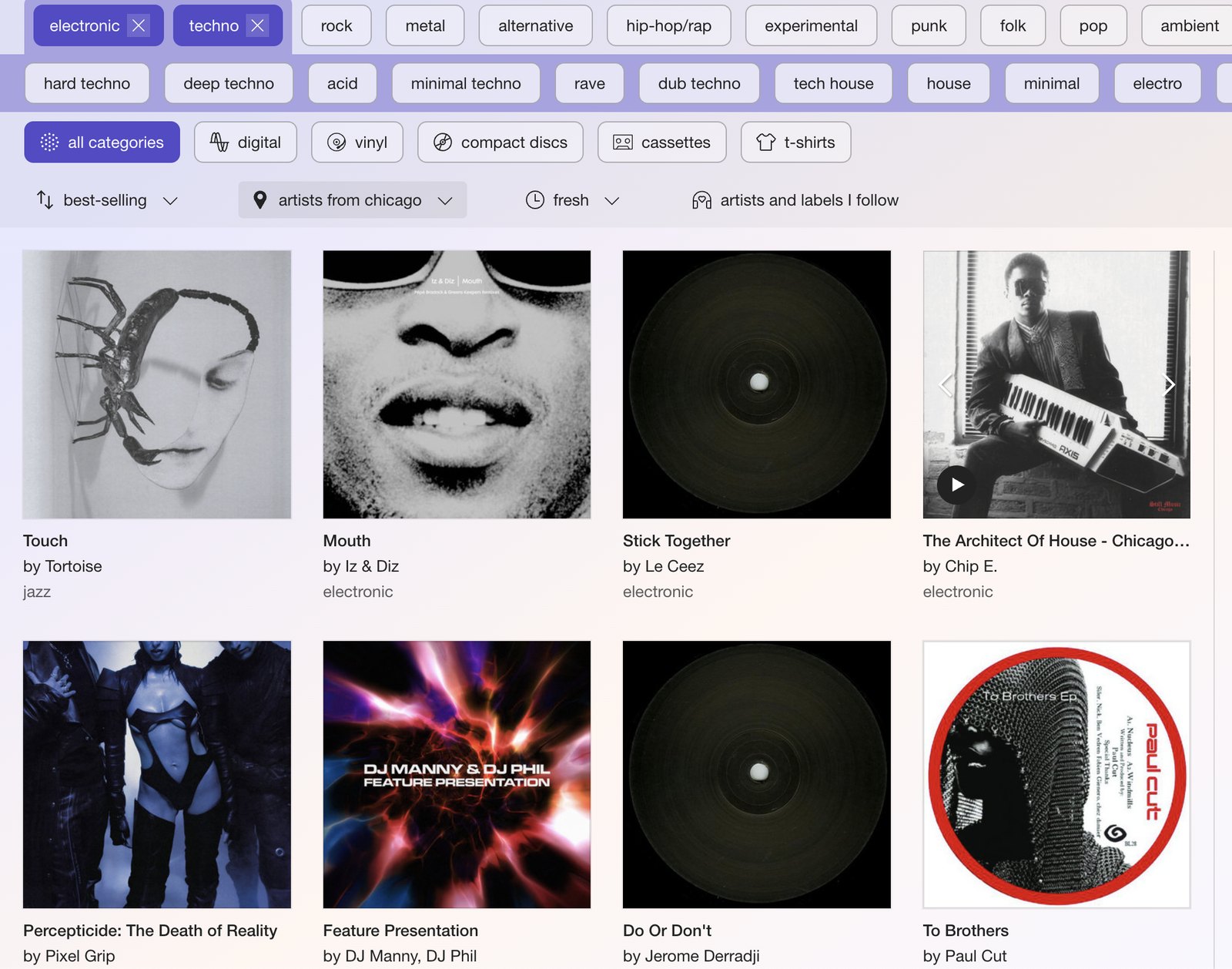
Bandcamp. Last but definitely not least. This is where all the independent labels live, and like Volumo, it's built around getting money directly into the artist's pocket. Bandcamp works a bit differently from the others though. It's not built around a Related Tracks or Station feature, it's built around tags. Head to the Discover page, pick a genre, and stack tags together. For instance: electronic music, then house, then narrow it down even further into a specific scene, like Chicago house. It's definitely worth exploring if you want music that will never show up anywhere else.

The Real Point
Where I live, ten minutes north of Byron Bay in Australia, people genuinely don't want commercial music. Using sites like Volumo lets me actually develop a sound and play music nobody's heard. More than that, it lets me play a sound that's basically mine. And I love that.
So here's the real point of this whole guide. The best DJs aren't necessarily the ones who are better at searching. Flashy transitions and playing hits for social media, sure, that's part of modern DJing now, and I get it. But when you're playing live, none of that matters as much as your track selection. It's about building a set that flows and actually expresses who you are and where you're at musically, while still keeping people engaged on the dance floor.
That doesn't mean throwing out what the crowd wants. You're still playing for the room, and reading the room, knowing what's expected of you, matters. But when you do drop the big tracks everyone already knows, you get there on your own terms, instead of pulling your entire set straight from a chart.
The great DJs are usually digging in the exact same places as everyone else. They just dig a little deeper. Build that habit, and eventually the roles flip. Instead of people telling you about tracks you should be playing, they start coming to you asking for track IDs.
So if you're new to all this: check out Volumo, that's genuinely my go-to. Play around with SoundCloud. I love their Station feature. And Beatport, yeah, we all know it's a great place to find tracks, just remember, if you're only playing the Beatport Top 100, you risk sounding exactly like everyone else.
Want to Go Deeper Than a Blog Post?
Digging for tracks is one piece of the puzzle, but it's only one piece. Knowing how to actually use what you find, how to build a set that flows, how to read a room, how to mix with real technical skill, that's a whole other craft, and it's exactly what I teach inside Club Ready DJ School.
If you're serious about turning what you're digging up into sets that actually move a crowd, come check out what we're building over at our courses page. It's everything I wish someone had handed me when I was starting out.
Alright, that's it from me.
Your friend, coach, and mentor,
Andrew
Related Posts
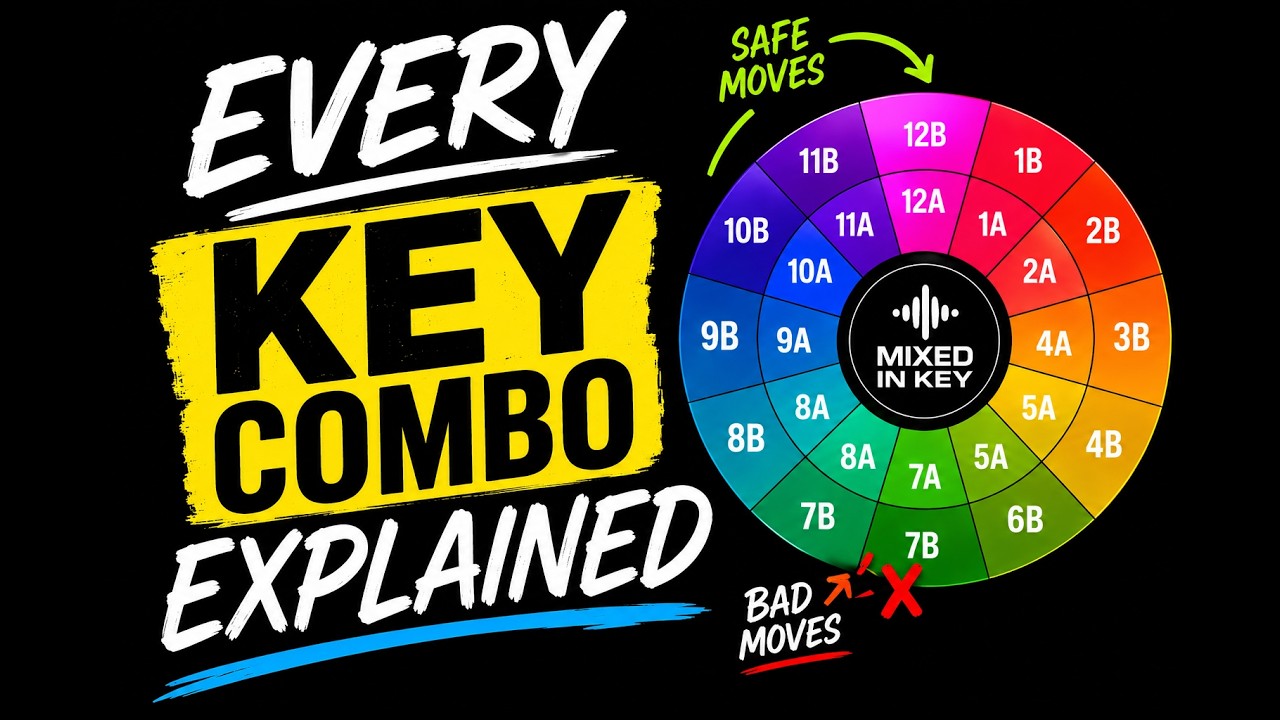
If you've ever watched a DJ tutorial, used Mixed In Key, or opened Rekordbox and noticed those strange numbers like 8A, 9A, and 5B next to your tracks, you've probably wondered...

In the first video at the top of the page I demonstrate different ways to mix Afro House, including where to mix, how long to play both tracks together...

Are you sick of some of your mixes sounding great and others sounding bad? In this video I'll give you 5 tips on where you can mix in your new track to make certain your transitions sound natural and effortless every single time.

Have you noticed the beats of your tracks drifting apart? Not having a visual reference to align the beats visually may affect your confidence behind the decks.